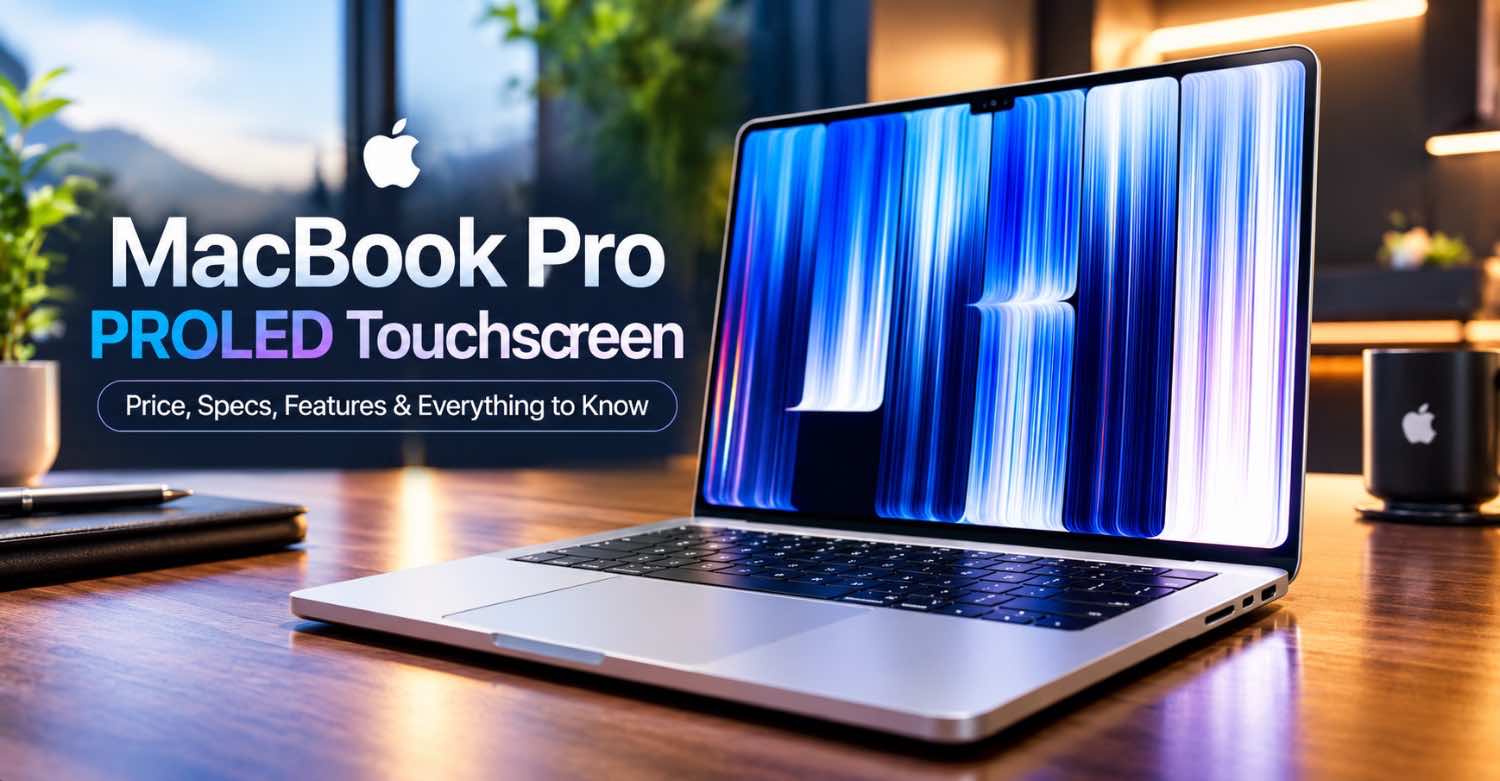

The Short Answer (For People Who Hate Long Introductions)
Apple just did something it spent fifteen years insisting it would never do: it put a touchscreen on a MacBook. But the headline isn’t really the touchscreen—it’s the display underneath it. The new MacBook Pro with PROLED XDR Display starts at $2,899 for the 14-inch model and $3,399 for the 16-inch, ships on November 6, 2026, and runs on the same M5 Pro and M5 Max chips you’ll find in the non-touch models.[1]
If you want the full picture—what PROLED actually means, whether touch on a Mac is any good, how it stacks up against Windows OLED rivals, and whether the $400 premium is worth it for your workflow—keep reading. This is the deep dive I wish existed when the announcement dropped.
How We Verified This Information
Every specification and price in this article is cross-checked against Apple’s official press release and independent hands-on reporting. Here’s what supports what:
- Pricing and specs: Apple Newsroom official press release (October 28, 2026)
- Display technology: MacObserver, Engadget, and Apple technical specifications
- Touch experience: CNET and The Verge hands-on reporting
- Performance data: MacObserver M5 Pro vs M5 Max analysis
- Battery life: Apple official ratings and ITBrief verification
- We have not personally tested this device; analysis is based on published specifications and independent reviews
What Exactly Is “PROLED XDR”? (And Why Apple Invented a New Name)
Let’s cut through the marketing jargon. PROLED XDR is Apple’s branding for a tandem OLED panel—two layers of organic light-emitting diodes stacked on top of each other, firing per pixel.[3] Apple already uses tandem OLED in the iPad Pro, but there it’s called “Ultra Retina XDR.” The new name signals that this is a different class of display, and honestly, the numbers back that up.

Here’s what changed compared to the mini-LED “Liquid Retina XDR” panel that’s been on MacBook Pros since 2021:
| Spec | Liquid Retina XDR (mini-LED) | PROLED XDR (tandem OLED) |
|---|---|---|
| Contrast ratio | 1,000,000:1 | 10,000,000:1 |
| Peak brightness (HDR) | 1,600 nits | 2,000 nits |
| Peak brightness (SDR) | 600 nits | 2,000 nits |
| Color gamut | P3 | P3 + Adobe RGB (80%+ Rec. 2020) |
| Touch sensor | No | Yes, built into panel |
The practical translation: this is the first MacBook display that can legitimately be called a reference monitor for HDR color grading without caveats. MacObserver’s hands-on noted that the expanded gamut and higher sustained brightness push it into a different tier for professional content creation.[2]
Sources: Apple Newsroom, MacObserver, Engadget.
Design: Thinner, Lighter, and That Glowing Logo Is Back
Apple hasn’t redesigned the MacBook Pro chassis since 2021. The new model changes that—subtly, but meaningfully.
- 14-inch: 3.0 pounds (down from 3.4 pounds). That’s a half-pound drop, which you’ll feel in a backpack.[4]
- 16-inch: 4.0 pounds (down from 4.7 pounds). Nearly three-quarters of a pound lighter, which is a big deal for a desktop replacement.
- Thickness: up to 1mm slimmer than the outgoing model.
- The glowing Apple logo is back. Yes, really. The lid logo illuminates again, a nostalgic touch Apple hasn’t offered since the pre-Retina era.[5]
The hinge has also been stiffened to keep the screen steady when you’re poking at it—a necessary change once touch enters the equation.[6] And the bezels are slimmer, which is why the screen sizes technically grew to 14.2 and 16.3 inches even though the chassis dimensions are nearly identical.
Display Deep Dive: 2,000 Nits in SDR Changes Everything
The most important number on the PROLED spec sheet isn’t the 2,000-nit peak—it’s that the 2,000 nits applies to SDR content too, not just HDR movies.[7]
SDR is almost everything you look at all day: email, web pages, documents, spreadsheets. The old Liquid Retina XDR display peaked at 1,600 nits, but only for HDR content. For everyday SDR work, it was limited to 600 nits. The PROLED display reaches 2,000 nits for both—meaning you can actually use the full brightness outdoors without the system clamping it.
Add the new antireflective coating, and this becomes the first MacBook you can comfortably use on a sunny patio. For photographers and videographers who work on location, that’s a bigger deal than the touchscreen.
Color accuracy for professionals
The panel covers P3 and Adobe RGB in a single default preset, plus more than 80% of the Rec. 2020 gamut for HDR mastering.[8] Photographers no longer have to switch modes between a photo edit (Adobe RGB) and a video project (P3). Apple also factory-calibrates each display for luminance, white point, and gamut, and includes reference modes for color grading.
Sources: MacObserver, Yahoo Tech.
Performance: M5 Pro and M5 Max, Same Chips, Better Thermals
If you were hoping for a new chip generation exclusive to the touchscreen model, temper that expectation. The PROLED MacBook Pro uses the same M5 Pro and M5 Max silicon that debuted earlier in 2026.[9] What’s new is the redesigned thermal architecture that directs warm air away from the display—important because OLED panels are more heat-sensitive than mini-LED.
| Chip | CPU Cores | GPU Cores | Memory Bandwidth | Available In |
|---|---|---|---|---|
| M5 Pro (base) | 15-core (5 super, 10 performance) | 16-core | 307 GB/s | 14-inch only |
| M5 Pro (upgraded) | 18-core (6 super, 12 performance) | 20-core | 307 GB/s | 14-inch and 16-inch |
| M5 Max (base) | 18-core | 32-core | 460 GB/s | 14-inch and 16-inch |
| M5 Max (top) | 18-core | 40-core | 614 GB/s | 14-inch and 16-inch |
Memory and storage ceilings: up to 128GB unified memory and 16TB SSD on the M5 Max configuration.[10] The 128GB memory option is locked to the top 40-core GPU—so if you need maximum RAM, you’re automatically buying the most expensive chip.
For most creative professionals—video editors working with ProRes, photographers batch-processing RAW files, developers running local AI models—the M5 Pro with 24GB or 48GB will be more than enough. The M5 Max is for people whose workflows are genuinely GPU-bound: 3D rendering, multicam 8K editing, or training local machine learning models.
The Touchscreen: Is It Actually Useful, or Just a Gimmick?
This is the question everyone’s asking, and the answer is more nuanced than Apple’s marketing suggests.
What works well
- Scrolling and pinching to zoom feel natural because the touch sensor is embedded in the panel, not layered on top. Latency is genuinely low.[6]
- Dragging and dropping slides between presentations, manipulating 3D objects, and sketching in apps like Pixelmator Pro are the use cases Apple demonstrated on stage—and they work.[11]
- Existing apps mostly work out of the box because macOS translates touches into clicks. You don’t need a new version of Photoshop to tap a button.
- The Dynamic Island at the top of the screen gives you quick access to Spotlight, Live Activities, and Siri AI—it’s the same idea as on iPhone, and it’s genuinely handy for glancing at media controls or timers.[12]
What feels half-baked
CNET’s hands-on is refreshingly blunt: “The MacBook Pro OLED isn’t the touchscreen Mac I was looking for.” The reviewer points out that macOS was not designed for fingers—touch targets are small, and the interface assumes a precise cursor.[13] Apple didn’t launch the touch capability alongside macOS 27 at WWDC; it’s arriving afterward, which suggests the software experience will be playing catch-up.
There’s also the ergonomic question: reaching across a 14-inch or 16-inch laptop screen to tap something is awkward compared to an iPad. The hinge is stiffer, and Apple added webcam image stabilization in case you bump the screen during a video call—both are workarounds, not solutions.
The verdict on touch: it’s a nice additional input method for specific tasks (creative work, presentations, app testing), but it’s not a replacement for the keyboard and trackpad. If you’re buying this laptop primarily for touch, you’ll probably be disappointed. If you’re buying it for the display and treating touch as a bonus, you’ll be very happy.
Battery Life: No OLED Power Savings, But Still Excellent
One of the promises of OLED is lower power consumption because dark pixels turn off entirely. In practice, battery life is unchanged from the non-touch M5 models—any OLED savings were likely offset by the added touch layer and brighter display.[14]
That’s not a dealbreaker, because the baseline was already outstanding:
| Model | Video Streaming | Wireless Web |
|---|---|---|
| 14-inch M5 Pro | Up to 22 hours | Up to 14 hours |
| 14-inch M5 Max | Up to 20 hours | Up to 13 hours |
| 16-inch M5 Pro | Up to 24 hours | Up to 17 hours |
| 16-inch M5 Max | Up to 22 hours | Up to 16 hours |
Fast charging gets you to 50% in 30 minutes with a 96W or higher adapter.
Ports, Connectivity, and Thunderbolt 5: What You Actually Get
Apple didn’t sacrifice ports for thinness. And the highlight here is Thunderbolt 5, which doubles the bandwidth of Thunderbolt 4 and unlocks some genuinely useful workflows for professionals.

Why Thunderbolt 5 matters for creatives
Thunderbolt 5’s 120Gb/s bandwidth (up to 80Gb/s bidirectional for data) is enough to run an 8K display at 120Hz while simultaneously transferring a 16TB SSD at near-internal-drive speed. For video editors working with RAW files on external NVMe storage, or photographers tethering a medium-format camera on location, this is a real workflow unlock—not just a spec bump on paper.
The six-speaker sound system has been redesigned with 50% deeper bass and Dolby Atmos support. The 12MP Center Stage webcam now supports Desk View and 1080p video.[6]
External display support: up to three displays on M5 Pro, up to four on M5 Max (including two 8K/60Hz panels).
Storage: Up to 16TB, and What That Actually Costs
The MacBook Pro PROLED is the first MacBook to offer 16TB of SSD storage—a meaningful jump for video editors, 3D artists, and anyone who’s been carting around external SSDs because 8TB wasn’t enough.[10]

| Storage Tier | Available On | Upgrade Cost |
|---|---|---|
| 512GB (base) | M5 Pro base | Included |
| 1TB | All configurations | +$200 |
| 2TB | All configurations | +$600 |
| 4TB | All configurations | +$1,200 |
| 8TB | M5 Max only | +$2,400 |
| 16TB | M5 Max only | +$4,600 |
Here’s the honest math: at $4,600 for the 16TB upgrade, you’re paying roughly $287 per terabyte. A comparable 4TB external Thunderbolt 5 SSD costs around $500 today and delivers ~6,000MB/s. For most users, buying a 2TB internal + a fast external drive is the far smarter financial move. The 16TB option exists for people whose workflows can’t tolerate any external dependency—think DITs on film sets, or editors on planes.
PROLED vs. the Windows OLED Competition: How It Actually Stacks Up
Apple isn’t selling into a vacuum. Dell, ASUS, Lenovo, and HP have all shipped OLED laptops with touchscreens for years—often for less money. So where does the PROLED MacBook Pro genuinely pull ahead, and where does it lag?
Dell XPS 16 (2026)
ASUS Zenbook 16 OLED
Lenovo Yoga Slim 9i
HP Spectre x360 16
The honest comparison table
| Feature | MacBook Pro PROLED | Best Windows OLED Rival |
|---|---|---|
| Peak SDR brightness | 2,000 nits | 600 nits (ASUS Zenbook 16) |
| Adobe RGB coverage | Yes | Rare (usually P3 only) |
| Touchscreen | Standard (first Mac) | Standard on most |
| Battery (video) | Up to 24 hours | Up to 17 hours |
| Starting price | $2,899 | $1,749 (Lenovo) |
| GPU performance (sustained) | Class-leading (M5 Pro/Max) | Trails by 30-60% |
| Build & chassis stiffness | Excellent | Good to excellent |
| Port selection | Best-in-class | Varies (often fewer) |
| Software for touch | Immature (macOS) | Mature (Windows 11) |
| Price per nit of SDR brightness | $1.45/nit | $2.91/nit (Lenovo) |
The verdict: if your work depends on display accuracy, sustained GPU performance, or working outdoors, the MacBook Pro PROLED is worth the premium. If you need touch to actually feel native, or you’re on a tighter budget, the Windows OLED alternatives are genuinely competitive—and in some cases, better value.
Real-World Workflows: Who Actually Benefits from This Laptop?
Spec sheets are easy to read but hard to translate into daily life. Here’s what the PROLED MacBook Pro actually means for specific professional workflows.
Video editors
The 2,000-nit SDR display and 80%+ Rec. 2020 coverage mean you can HDR-grade on-location without a reference monitor. Thunderbolt 5 pushes 8K footage from external NVMe at internal-drive speeds.
Photographers
Adobe RGB coverage in a single preset means no more mode-switching between print and web edits. The antireflective coating makes outdoor tethering actually workable.
Developers
The touchscreen’s best niche is iOS and iPadOS development—test gestures directly on the Mac. M5 Max with 128GB RAM handles local LLM inference without breaking a sweat.
Designers & illustrators
Touch + Apple Pencil isn’t supported (a real miss), but finger-based sketching in Pixelmator Pro and Procreate-adjacent apps works well enough for roughs and ideation.
Music producers
The 6-speaker system with Dolby Atmos and deeper bass is genuinely useful for mixing references without external monitors. Low-latency touch works well for software instruments.
Data scientists
128GB unified memory on M5 Max lets you train mid-sized models locally. The 16TB SSD is overkill for most, but for on-prem data privacy workflows, it’s a real option.
The honest take: if your workflow doesn’t depend on screen accuracy, GPU throughput, or outdoor readability, you probably don’t need this laptop. The non-touch M5 Pro at $2,499 is a better value for writers, marketers, students, and general users.
Pricing: Every Configuration, US Dollars
Apple sells four starting configurations. Here’s the full breakdown, including education pricing:[10]
| Configuration | Starting Price | Education Price |
|---|---|---|
| 14-inch M5 Pro | $2,899 | $2,749 |
| 16-inch M5 Pro | $3,399 | $3,199 |
| 14-inch M5 Max | $4,499 | $4,199 |
| 16-inch M5 Max | $4,799 | $4,499 |
The premium is real. The non-touch 14-inch M5 Pro starts at $2,499, so you’re paying $400 more for the PROLED display and touch capability. The M5 Max touch model starts at $4,499 versus $4,099 for the non-touch version.
Maxing everything out—16-inch M5 Max, 128GB RAM, 16TB storage, nano-texture glass—will set you back approximately $14,549.[15] That’s a niche configuration for post-production houses, not everyday buyers.
PROLED vs. iPad Pro’s Tandem OLED: What’s the Difference?
Both use tandem OLED. Both have 120Hz ProMotion. Both support touch. So why is the MacBook’s panel branded differently?
| Spec | MacBook Pro (PROLED XDR) | iPad Pro (Ultra Retina XDR) |
|---|---|---|
| Peak Brightness | 2,000 nits (HDR and SDR) | 1,600 nits |
| Sustained Full-Screen | 1,000 nits | 1,000 nits |
| Pixel Density | 254 ppi | 264 ppi |
| Color Gamut | P3 + Adobe RGB (80%+ Rec. 2020) | P3 |
The MacBook Pro is 25% brighter at peak, and the addition of Adobe RGB coverage makes it more suitable for print-oriented color work.[16] The iPad Pro still has a slightly higher pixel density, but at laptop viewing distances, the difference is imperceptible.
Should You Upgrade? A Generation-by-Generation Breakdown
Apple’s annual-ish update cadence means most people are 2-4 generations behind. Here’s the honest upgrade advice for each starting point.
Worth the upgrade — significant
You’re getting 2-3× GPU performance, a display that’s three times brighter in SDR, a lighter chassis, and Thunderbolt 5. This is the sweet spot for upgrades, especially if you do any color-critical or GPU-heavy work.
Worth it if you need the display
The CPU/GPU jump is smaller (roughly 40-50% GPU). But the 2,000-nit SDR display and touch are genuine quality-of-life improvements. If your current display feels dim outdoors, upgrade. If not, wait one more year.
Marginal — skip unless you need touch
Performance gains are modest (~25%). The display is the only big differentiator. If you don’t specifically need 2,000-nit SDR or touch, keep your M3.
Skip this generation
You’re on essentially the same M5 silicon. The display upgrade is real but not worth $2,899+ if you’re already happy with the mini-LED screen.
Massive jump — do it
Battery life 3-4×, GPU 8-10×, a display that’s night-and-day better. If your Intel MacBook Pro still works, this is the year to finally move on.
What’s Still Missing (And What Apple Should Fix in Gen 2)
No product is perfect. Here’s what we genuinely wish were different about the PROLED MacBook Pro—and what a second-generation version should address.
1. No Apple Pencil support
This is the biggest miss. A touchscreen without stylus support is a half-measure for designers and illustrators. Apple hasn’t announced Apple Pencil compatibility, and it likely won’t until macOS is more mature with touch. For now, if you want stylus input, you’re stuck with an iPad.
2. macOS touch software isn’t ready
The touch experience on day one will feel grafted-on because macOS 27 wasn’t designed for fingers. Expect meaningful improvements in macOS 28 and 29. If you buy this laptop primarily for touch, you’re buying into a promise, not a finished product.
3. No OLED power efficiency gains
Despite OLED’s dark-pixel-off efficiency, battery life is identical to the mini-LED models. Apple’s brightness boost likely offsets the OLED efficiency. We’d love to see a “dim mode” that lets the panel run darker to actually realize the power savings.
4. The 128GB RAM ceiling requires the most expensive chip
If you need maximum RAM, you’re forced to buy the 40-core GPU M5 Max—an extra $1,200 over the base M5 Max. A 128GB option on the M5 Pro 20-core would give more flexibility at lower cost.
5. The $400 touch premium is aggressive
The non-touch M5 Pro at $2,499 is a genuinely excellent laptop. The $400 jump for touch + PROLED is defensible for professionals, but for general users, it’s hard to justify.
Would you pay $400 extra for a touchscreen MacBook?
Quick poll — tap to see what other readers think
Who Should Buy the MacBook Pro PROLED?
Buy it if…
- You’re a professional photographer, videographer, or colorist who needs a reference-grade HDR display with Adobe RGB coverage.
- You work on location or outdoors and need a screen that’s actually readable at 2,000 nits.
- You’re a developer who wants to test touch interactions on a Mac without buying an iPad.
- You’re upgrading from a 2021 or earlier MacBook Pro and want the cumulative benefits of the redesign.
Skip it if…
- You already own an M4 or M5 MacBook Pro with the mini-LED display—the performance is nearly identical.
- You primarily want a touch-first device—an iPad Pro is still the better choice for finger-driven workflows.
- You’re on a tight budget—the non-touch M5 Pro at $2,499 is still an excellent laptop.
- You need the best value per dollar—Windows OLED rivals cost $700-$1,100 less.
Final Thoughts: A Great Laptop With a Complicated Sales Pitch
The MacBook Pro with PROLED XDR Display is, by every technical measure, the best laptop display Apple has ever shipped. The tandem OLED panel is brighter, more color-accurate, and more contrast-rich than anything in the Windows camp. The weight reduction, 16TB storage ceiling, and Thunderbolt 5 port selection make it a genuinely better laptop for road warriors and creators.
But the touchscreen—the feature Apple is leading with—is the least compelling part of the package. It works, but it doesn’t yet feel essential. macOS wasn’t built for fingers, and the software ecosystem needs time to catch up. If Apple had shipped this display without touch and charged $200 less, it would be an easier recommendation.
As it stands, the PROLED MacBook Pro is a buy for professionals who will actually use the display’s capabilities—colorists, photographers, HDR editors, developers, and anyone who works outside. For everyone else, the standard M5 MacBook Pro remains the smarter choice, and the iPad Pro remains the better touch device.
Visit the official Apple website to configure yours and check current shipping estimates: https://www.apple.com/macbook-pro/
Frequently Asked Questions
November 6, 2026. Pre-orders opened on October 28, 2026, the same day Apple announced it.[1]
The 14-inch M5 Pro starts at $2,899; the 16-inch M5 Pro starts at $3,399. M5 Max configurations start at $4,499 (14-inch) and $4,799 (16-inch). Education pricing starts at $2,749.[10]
Yes and no. PROLED XDR is Apple’s marketing name for a tandem OLED panel—two OLED layers stacked to increase brightness and longevity. It’s a type of OLED, but Apple differentiates it from the single-layer OLED used in some competitors’ laptops.[3]
No. Apple replaced the notch with a Dynamic Island—a smaller pill-shaped cutout that houses the webcam and shows Live Activities, Spotlight, and Siri AI.[12]
It depends on your workflow. If you’re a creative professional who will use touch for sketching, presentations, or 3D manipulation, yes. If you’re a writer, coder, or general user who mainly types and clicks, the non-touch model is the smarter buy.[13]
No. Apple has not announced Apple Pencil support for the MacBook Pro. The touchscreen supports multi-touch gestures (swipe, pinch, drag), but not stylus input.
Yes. ProMotion adapts from 10Hz to 120Hz, the same range as the iPad Pro and previous MacBook Pro models.[7]
No, but it’s not better either. Battery life is identical to the non-touch M5 models—up to 24 hours of video on the 16-inch M5 Pro.[14]
No. Apple Silicon uses unified memory and soldered storage. Buy the configuration you need upfront—you cannot upgrade after purchase.
Mostly yes. macOS translates touches into clicks, so existing apps work without updates. However, apps that haven’t been optimized for touch won’t feel native—small buttons and menus can be fiddly with a finger.[6]
The PROLED XDR panel is 3-5× brighter than most Windows OLED laptops (2,000 nits vs 400-600 nits SDR), and it covers Adobe RGB, which most competitors don’t. However, Windows OLED laptops like the Dell XPS 16 ($2,199), ASUS Zenbook 16 ($1,899), and Lenovo Yoga Slim 9i ($1,749) cost $700-$1,100 less for similar CPU performance. The MacBook wins on display and GPU; Windows wins on price and touch-software maturity.
If you’re on an M1 Pro or M1 Max, the upgrade is significant: 2-3× GPU performance, a much brighter display, and a lighter chassis. From M2 Pro or M2 Max, the jump is smaller and only worth it if you need the 2,000-nit SDR brightness or touch. From M3 or M4, skip this generation—the gains are marginal.
Storage options range from 512GB on the base model up to 16TB on the M5 Max configuration. The 16TB option adds approximately $4,600 to the base price—roughly $287 per terabyte. A 4TB external Thunderbolt 5 SSD costs around $500 and delivers similar speeds, so most users should consider that route first.
Sources & References
- Apple Newsroom — Official press release: “Apple unveils groundbreaking MacBook Pro with PROLED XDR Display and Touch” (October 28, 2026)
- MacObserver — PROLED XDR display deep dive: 2,000 nits SDR, Adobe RGB, and nano-texture
- Engadget — Tandem OLED technology explained: brightness, burn-in resistance, and pixel aging
- ITBrief — Weight and battery life: 3 lbs / 4 lbs, up to 24 hours
- Yahoo Tech — Design changes: glowing Apple logo, thinner chassis, lighter build
- MacRumors — Complete announcement coverage: hinge redesign, Dynamic Island, thermal architecture
- MacObserver — Full specifications: resolution, ppi, contrast ratio, refresh rate
- Yahoo Tech — Color gamut coverage: P3 + Adobe RGB + 80% Rec. 2020
- The Verge — M5 Pro and M5 Max confirmation, not M6
- MacObserver — M5 Pro vs M5 Max pricing, memory, storage, and configuration breakdown
- The Verge — Touch use cases: testing iOS apps, playing software instruments
- MacObserver — Dynamic Island on Mac: Spotlight, Live Activities, Siri AI
- CNET — Hands-on: “The MacBook Pro OLED isn’t the touchscreen Mac I was looking for”
- Holo.fyi — Battery life unchanged: up to 24 hours video, 17 hours web
- Mashable — Maxed-out pricing: $14,549 with nano-texture and 16TB storage
- Yahoo Tech — PROLED vs iPad Pro tandem OLED: 25% brighter peak, Adobe RGB difference
Looking for More Apple Coverage?
We track every major Apple launch, from MacBook to iPhone, with hands-on analysis and buying guides.
Explore Laptop Guides