Camera

## FAQ – Best Webcams with Microphone for Zoom Meetings Below are short, researched, high-intent answers to questions people commonly search about webcams, microphones, and video conferencing hardware. --- ### 1. What is the best webcam for Zoom meetings? The best webcam for Zoom meetings balances **video clarity (1080p)** with **built-in microphone quality** and good low-light handling. Top picks include the **Logitech C920s** (great overall value), **Logitech BRIO 4K** (premium quality), and **Anker PowerConf C300** (AI framing + meeting features). These models offer plug-and-play compatibility with Zoom and other conferencing apps. --- ### 2. What webcam is best for general video conferencing? For broad video conferencing (Zoom, Teams, Meet), prioritize webcams with reliable **1080p video quality** and **built-in noise-reducing microphones**. Good options include the **Logitech Brio 300**, **Poly Studio P5**, and **Jabra Panacast 20** — all designed to work smoothly across platforms. --- ### 3. Are there webcams with both microphone and speaker? Yes. Webcams like the **Logitech MeetUp** and **Aver CAM520** integrate **both microphones and speakers** for small-room conferencing without extra peripherals. These are ideal for huddle rooms and shared workspaces where participants need clear audio both ways. --- ### 4. Which webcam is best for streaming (YouTube, Twitch)? For streaming, you want **smooth frame rates (60fps)** and better image control. Popular picks include **Razer Kiyo Pro Ultra** (supports 4K/30fps and 1080p/60fps), **Elgato Facecam MK.2** (1080p/60fps with HDR), and **Insta360 Link** (AI tracking). These deliver sharper video and better performance in varied lighting. --- ### 5. What is the best webcam for a laptop? Laptop users should choose **USB-C webcams** that offer better video and mic quality than built-in cameras. The **Logitech Brio 300** (1080p with auto light correction), **Logitech StreamCam** (1080p/60fps), and **Anker PowerConf C200** (2K resolution) are excellent portable upgrades that clip onto laptop screens easily. --- ### 6. What webcam is best for Microsoft Teams meetings? Microsoft’s documentation indicates Teams can use **up to 1080p** depending on settings and bandwidth. Webcams certified for Teams (such as **Logitech Brio 4K, Logitech Brio 300, C920e, and Poly Studio P5**) are reliable choices, offering clear video and noise-reducing microphones compatible with Teams’ call optimization. --- ### 7. Do webcams work with Zoom hub or Zoom Rooms? Yes — most USB webcams that support **1080p or higher resolution** work with Zoom Rooms and Zoom Hub hardware. Logitech, Poly, and Jabra models certified for Zoom Rooms are often recommended because they integrate seamlessly with room controllers, auto-framing, and central management. --- ### 8. Does Zoom support 4K webcams? Zoom supports 4K webcams but often transmits video at **1080p or lower** depending on plan, bandwidth, and admin settings. Premium webcams like the **Logitech BRIO 4K** still provide benefits (like better image sensors and light correction), even if Zoom downscales the stream. --- ### 9. Is 1080p webcam enough for professional calls? Yes — 1080p remains the standard recommendation for professional video conferencing because Zoom, Teams, and Meet often limit quality for stability. A 1080p webcam with strong low-light performance and a quality mic typically looks better in real calls than a 4K webcam in poor lighting. --- ### 10. Can a webcam’s built-in microphone replace a headset mic? For many users, webcams with **dual microphones and noise suppression** are sufficient for normal calls. However, if you work in noisy environments or require broadcast-level audio quality, a dedicated external microphone often performs better than any built-in webcam mic. --- If you’d like, I can generate **SEO-ready Schema FAQ JSON-LD** to help this section appear in rich search results.

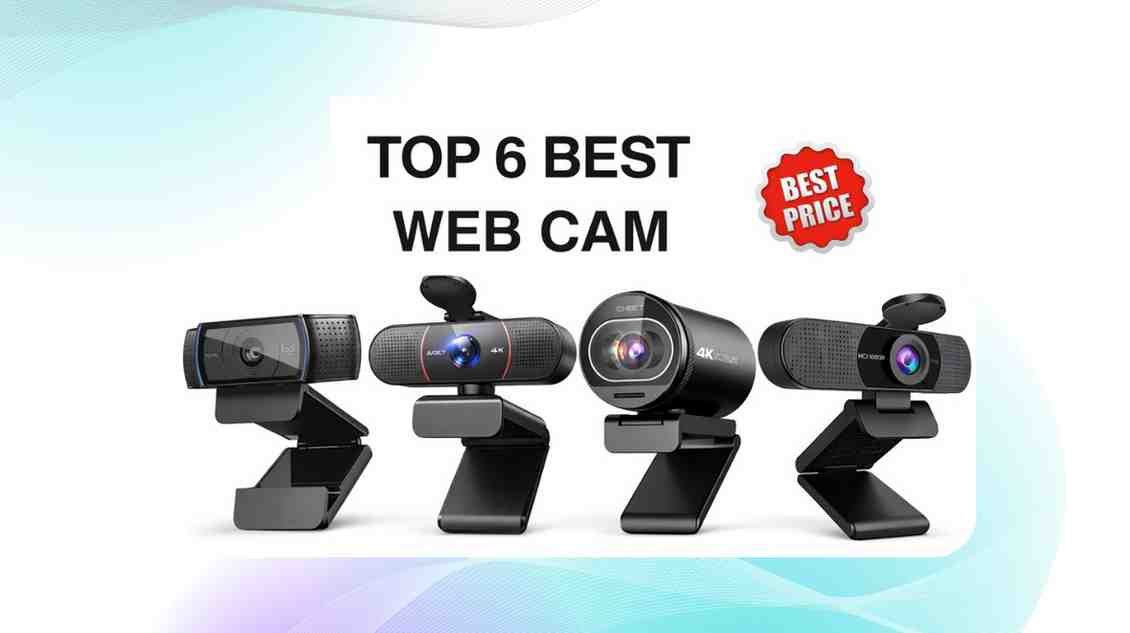
Best Webcam with Microphone for Zoom Meetings (2026) – Top Picks for Clear Video & Audio

March 3, 2026

Clear video and sharp audio are no longer optional — they’re essential.....

Index