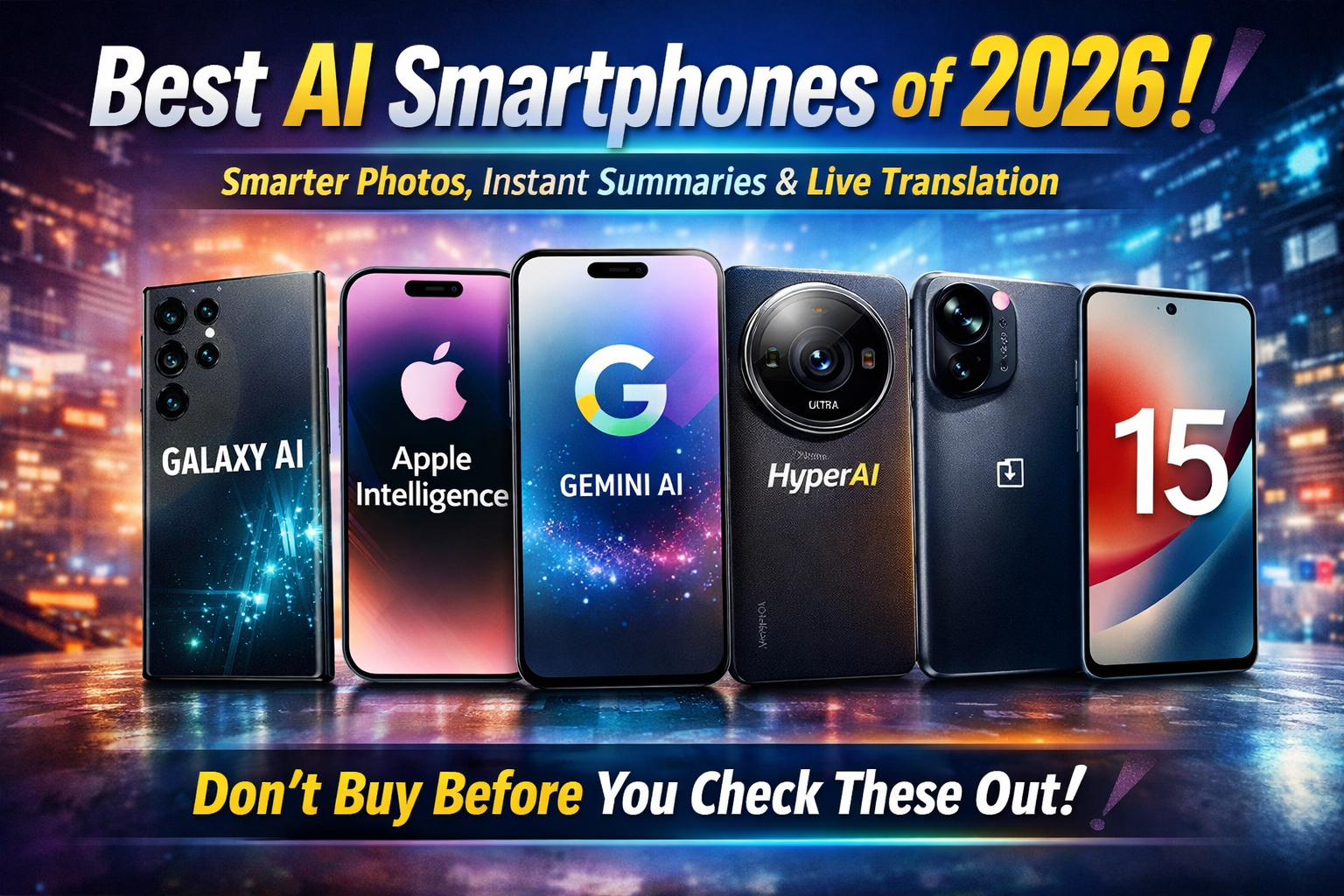
Best Smartphones With Advanced AI Features (2026)
What Makes a Smartphone Truly “AI-Powered” in 2026?
AI is no longer a “nice-to-have” feature on a flagship phone — it’s becoming the core experience.
In 2026, the best smartphones use AI to help you write, summarize, translate, edit photos, search what you see,
organize your day, and even perform tasks across apps. But not all “AI phones” are equal.
Some rely heavily on cloud processing, others do a lot on-device, and many AI features are region- or language-limited.In this guide, you’ll find the best AI smartphones to buy in 2026, explained in detail:
what AI features each phone offers, how useful those features are in real life, who should buy which phone,
and how to choose the best AI phone for your budget and needs.Note: To keep this article clean and trustworthy, all external links in this post go only to official brand websites.

1) What Makes a Smartphone “AI-Powered” in 2026?
Every smartphone uses “AI” in some way — for camera scene detection, voice assistants, or keyboard suggestions.
But in 2026, an advanced AI smartphone goes far beyond that. The best AI phones combine:
On-device AI (Private + Fast)
On-device AI runs directly on your phone’s hardware. It’s faster for many tasks, works in poor network conditions,
and is often more privacy-friendly because your data doesn’t always need to leave the device.
Features like offline summaries, smart screenshot organization, or on-device photo enhancement can feel instant.
Cloud AI (Bigger Brain + More Capable)
Cloud AI can be more powerful because it uses large models and stronger compute. It can handle complex writing,
deep reasoning, high-quality image generation, and more accurate multi-language translation. The tradeoff is that
cloud features may require internet, an account login, and sometimes a subscription.
AI that works across apps (Not just one app)
The most impressive AI phones in 2026 are the ones that can take action across multiple apps —
for example, turning a message into a calendar event, summarizing an email into a to-do list,
or using what’s on your screen to search instantly without switching apps.
AI that helps you daily (not just “cool demos”)
The best AI features are the ones you use every day: better calls, smarter notifications, quick photo fixes,
real-time translation, and writing tools that save time.
That’s the standard this guide is based on.
2) Quick Picks: Best AI Phones by Category
- Best overall AI Android phone: Samsung Galaxy S25 Ultra (balanced AI + camera + productivity)
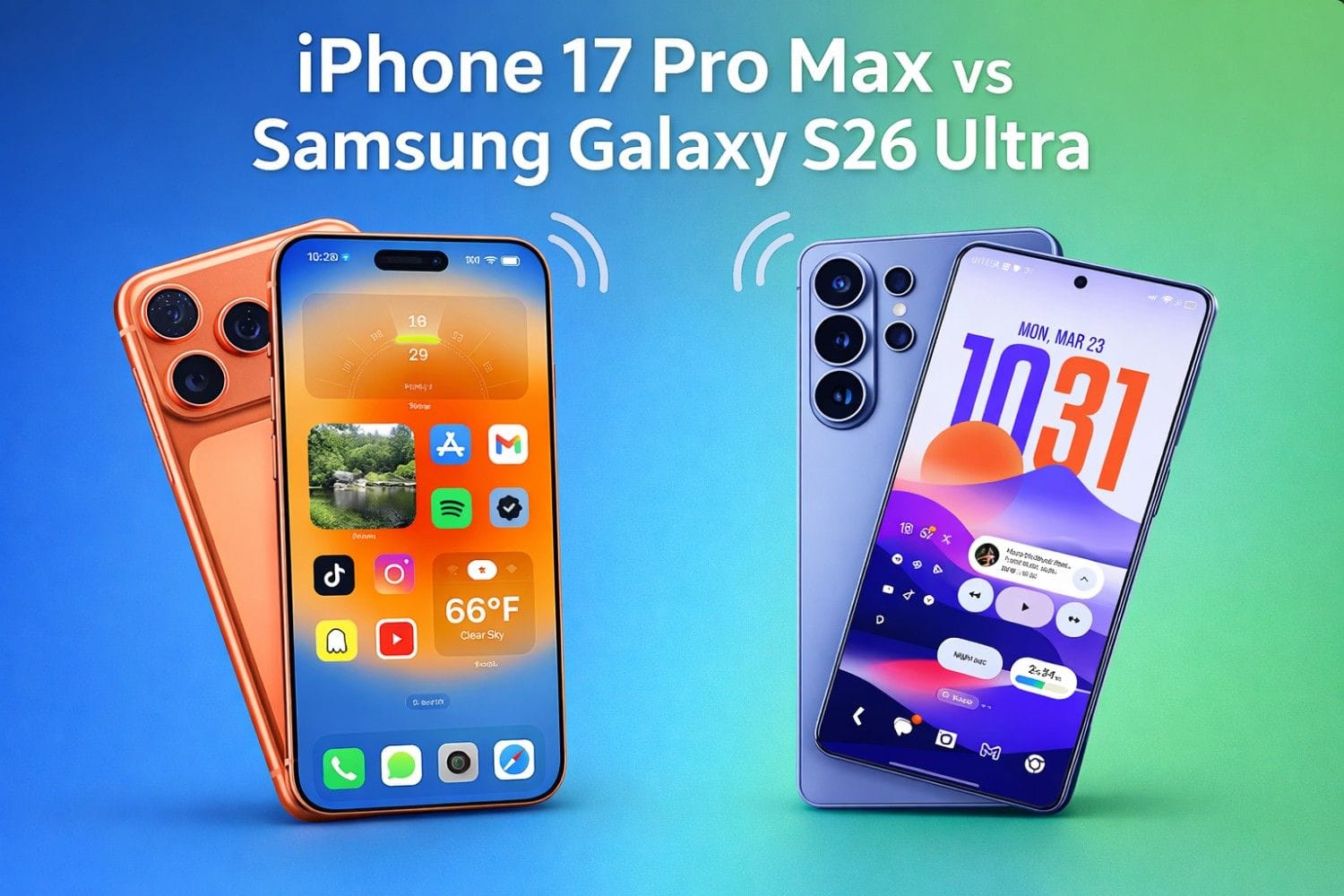
- Best AI iPhone experience: iPhone 17 Pro / iPhone 17 Pro Max (deep Apple Intelligence integration)
- Best AI for photography + smart tools: Google Pixel 10 Pro (Gemini-powered features)
- Best AI value flagship: OnePlus 15 (practical AI tools + strong performance)
- Best AI for creative editing & “AI content” tools: Xiaomi 15 / Xiaomi 15 Ultra (HyperAI creative features)
- Best AI zoom/camera tricks: OPPO Find X8 Pro (AI zoom + photo remaster tools)
Now let’s break down why these phones rank at the top — and which one fits your exact needs.
3) Comparison Table: AI Features at a Glance
| Phone | Main AI Platform | Key AI Strength | Best For | Official Page |
|---|---|---|---|---|
| Samsung Galaxy S25 / S25+ / S25 Ultra | Galaxy AI | Productivity + cross-app actions + personalization | Power users, students, creators | Samsung Official |
| iPhone 17 / 17 Pro / 17 Pro Max | Apple Intelligence | Writing Tools + translation + smarter notifications | iPhone users, privacy-focused users | Apple Official |
| Google Pixel 10 Pro | Gemini on Pixel | Smart assistant features + camera coaching | Photography lovers, Google ecosystem users | Google Official |
| Xiaomi 15 / Xiaomi 15 Ultra | Xiaomi HyperAI | Creative AI tools (video + image enhancement) | Creators, social media users | Xiaomi Official |
| OPPO Find X8 Pro | OPPO AI (ColorOS) | AI zoom + photo remaster + clarity tools | Zoom photography & camera-first buyers | OPPO Official |
| OnePlus 15 | OnePlus AI (+ Gemini integrations) | Practical AI utilities (scan, organize, assist) | Flagship value seekers | OnePlus Official |
Tip: Don’t buy an AI phone only by the “AI” label. Choose by your usage:
writing + study, photography, work productivity, or creative edits.
4) Best AI Smartphones (Detailed Reviews)
4.1 Samsung Galaxy S25 Series (S25 / S25+ / S25 Ultra) — Best AI Android Overall
Samsung’s Galaxy S25 lineup focuses on a simple promise: AI that helps you do more in less time.
Galaxy AI is designed around daily tasks — summarizing, translating, organizing, and creating — while staying
tightly integrated with Samsung’s ecosystem.
Most useful AI features on Galaxy S25
- Daily organization & smart briefings: AI can surface the highlights you actually care about — reminders, schedule, and key updates.
- Cross-app actions: The best AI moments happen when your phone connects the dots across multiple apps instead of forcing you to do everything manually.
- AI photo & video enhancement: Better low-light capture, smarter portrait processing, and editing tools that save time when posting.
- AI summaries & note help: Useful for students: turn long notes into quick summaries or action points.
Who should buy Galaxy S25 Ultra vs S25/S25+?
Galaxy S25 Ultra is for people who want the biggest display, the most camera flexibility,
and the “do everything” flagship experience. If you edit photos/videos, multitask heavily, or want the absolute best Android AI package,
Ultra is the safest pick.
Galaxy S25 and S25+ keep the same Galaxy AI foundation but are typically more affordable and easier to handle.
If you want powerful AI with a slightly more compact feel (and often better value), the regular models make sense.
Real-life example: how Galaxy AI saves time
Imagine you’re planning a day: you have messages, reminders, and notes across apps. Instead of checking everything manually,
an AI briefing feature can pull important context into one place. Or if you’re chatting with someone in another language,
you can translate quickly without copy-pasting between apps.
Official links:
Galaxy S25 Series |
Galaxy AI
Best for
- Users who want the most complete “AI phone” on Android
- Students & office users who need summaries, organization, and productivity help
- Creators who want quick AI edits and strong camera processing
Potential downsides
- Some AI features can be region-, language-, or account-dependent
- Not everyone needs Ultra pricing — S25/S25+ may be smarter value
4.2 iPhone 17 Series (iPhone 17 / 17 Pro / 17 Pro Max) — Best AI iPhone Experience
Apple’s approach to AI is less about flashy demos and more about “AI quietly improving your day.”
With Apple Intelligence, the goal is to enhance writing, communication, and focus while keeping privacy as a headline feature.
Most useful Apple Intelligence features
- Writing Tools: Rewrite, proofread, and adjust tone (helpful for emails, captions, and professional messages).
- Live Translation: Communicate across languages more naturally (especially helpful in travel or global work).
- Prioritized notifications: Reduce noise by surfacing what matters most instead of showing every alert equally.
- Smarter everyday communication: AI supports clearer writing and faster replies without needing extra apps.
Which iPhone 17 should you buy for AI?
If you want the most complete iPhone experience, iPhone 17 Pro / Pro Max is the premium route.
But for many people, the regular iPhone 17 can still deliver the core Apple Intelligence experience at a better value.
The key is choosing based on your priorities: camera, display size, and premium build versus cost.
Real-life example: why Apple Intelligence feels “daily-use”
A lot of people use phones mainly for messages, emails, notes, and social posts. That’s exactly where Apple Intelligence focuses:
polishing what you write, helping you stay focused, and reducing distractions. It’s not trying to be a separate “AI app” —
it’s designed to blend into the system.
Official links:
iPhone Lineup |
Apple Intelligence
Best for
- People who already love iOS and want AI features built into the system
- Users who care about writing help, translation, and focus features
- Anyone who prefers Apple’s ecosystem integration (Mac, iPad, AirPods)
Potential downsides
- Some Apple Intelligence features may roll out gradually or vary by region/language
- If you want extreme AI customization, Android can offer more flexibility
4.3 Google Pixel 10 Pro — Best AI for Smart Assistant + Photography Workflows
Pixel phones have been AI-first for years, but Pixel 10 Pro pushes harder into the “assistant that actually helps.”
With Gemini built-in, the Pixel experience is about understanding context — what you’re seeing, what you’re doing,
and what you want next.
Most useful AI features on Pixel 10 Pro
- Gemini assistant built-in: Get help across tasks without downloading multiple tools.
- Camera Coach: AI guidance for getting a better photo (great for beginners and quick shots).
- Search what you see: Use on-screen context to search quickly and take action without switching apps constantly.
- Offline/efficient on-device AI improvements: Google’s approach includes models designed to run efficiently on Pixel hardware.
Why Pixel AI feels different
Pixel’s “AI magic” often feels like the phone is one step ahead — suggesting helpful options based on what you’re doing.
If you’re deeply into Google apps (Gmail, Maps, Drive, Photos), Pixel is often the smoothest experience because it’s built for that ecosystem.
Official links:
Pixel 10 Pro Official |
Gemini Nano (Offline AI on Pixel)
Best for
- People who want the most “Google-first” AI phone
- Photography users who want AI guidance + easy editing workflows
- Users who love smart assistant features and Google services
Potential downsides
- Some features depend on supported regions, languages, and Google account settings
- If you need maximum customization or gaming-first tuning, other Android brands may appeal more
4.4 Xiaomi 15 / Xiaomi 15 Ultra — Best AI for Creative Editing & “Content Creation” Features
Xiaomi is leaning into AI for creativity. Instead of focusing only on writing or organization,
Xiaomi highlights AI tools that help you create and enhance content quickly — photos, videos,
and clean edits that look professional without spending hours in editing apps.
Standout AI features on Xiaomi 15 series
- AI Film: Generate short videos automatically from photos/videos, or create using prompts.
- AI Image Enhancement: Improve clarity with a tap (useful for older photos or slightly soft images).
- AI Reflection Removal: Clean up reflections in glass shots (a common real-world problem).
- HyperAI ecosystem approach: Xiaomi positions AI as part of an AI-powered device ecosystem, not just a phone feature.
Xiaomi 15 vs Xiaomi 15 Ultra: which is better for AI?
If you’re a heavy creator (mobile photography, portraits, zoom shots, travel content),
Xiaomi 15 Ultra is typically the more premium camera-first device.
But the regular Xiaomi 15 can deliver the core HyperAI creative features at a better value.
Decide based on how much you shoot and how much camera flexibility you need.
Official links:
Xiaomi 15 Official |
Xiaomi 15 Ultra Official |
Xiaomi HyperAI
Best for
- Creators who want quick AI edits for social media
- Users who like “tap-to-fix” photo tools (reflection removal, clarity enhance)
- People who want an AI-first ecosystem vibe
Potential downsides
- Some AI tools may require internet or specific apps/regions to work fully
- Xiaomi’s software experience can vary by region (global vs specific markets)
4.5 OPPO Find X8 Pro — Best AI Zoom & Camera Enhancements
OPPO’s Find X8 Pro is built for people who care about camera performance and want AI to make zoom and clarity better.
OPPO highlights AI zoom and “remaster” tools that can rescue shots that would otherwise be unusable.
Standout AI features on OPPO Find X8 Pro
- AI Telescope Zoom: AI-assisted zoom designed to bring distant subjects closer with better clarity.
- Lightning Snap: Capture fast moments with reduced blur.
- AI Photo Remaster: Improve photos quickly for better detail and cleaner results.
Who is OPPO Find X8 Pro for?
If you travel, shoot concerts/sports, or love taking zoom photos, OPPO’s AI zoom focus is a strong match.
It’s also a good option if you want a flagship that emphasizes camera results without requiring deep manual editing skills.
Official links:
OPPO Find X8 Pro Official |
OPPO Find X8 Official
Best for
- Zoom photography lovers
- People who want AI-assisted “fix my photo” tools
- Users who want camera-first flagship features
Potential downsides
- Availability can be region-dependent
- Some AI camera features may work best in specific shooting scenarios
4.6 OnePlus 15 — Best AI Flagship Value (Practical AI You’ll Use)
OnePlus has been pushing toward a “useful AI” direction — not just camera tricks, but tools that help with work, study,
and daily organization. If you want flagship performance with AI features that feel practical, OnePlus 15 is a strong pick.
Standout AI features on OnePlus 15
- AI Scan: Scan documents or slides even from tilted angles, then save as PDF/photos for quick sharing.
- OnePlus AI direction: Designed around productivity, creativity, and smoother personalized interaction.
- Gemini integrations (platform-level): Some features emphasize deeper AI integration within the OS experience.
Real-life example: why AI Scan matters
For students and office users, scanning notes, lecture slides, or whiteboards is a daily need.
An AI scanning tool that corrects angles and reduces shadows can save time and reduce the “I’ll fix it later” problem.
Official links:
OnePlus 15 Official |
OnePlus AI
Best for
- People who want flagship speed with useful, practical AI tools
- Students who scan notes and want quick organization
- Buyers who want strong value compared to ultra-expensive flagships
Potential downsides
- AI features and rollouts can vary by region/software version
- Some users may prefer Samsung/Google’s broader AI ecosystems
5) How to Choose the Right AI Phone (Simple Buyer Framework)
If you want the most complete AI package on Android
Choose Samsung Galaxy S25 Ultra (or S25/S25+ if you want better value).
Samsung’s AI is built around daily productivity plus strong camera intelligence.
If you want AI that blends into iOS and improves daily communication
Choose iPhone 17 Pro / Pro Max for the premium route, or iPhone 17 for strong value.
Apple Intelligence focuses heavily on writing, translation, and focus features that many people use every day.
If you live inside Google apps and want a “Gemini-first” experience
Choose Google Pixel 10 Pro. Pixel AI shines in assistant-style features, context understanding,
and AI-enabled camera workflows.
If you post content and want quick creative edits
Choose Xiaomi 15 / 15 Ultra. HyperAI is focused on creative tools like AI film creation,
image enhancement, and reflection removal.
If your priority is AI zoom and photo rescue tools
Choose OPPO Find X8 Pro for its AI zoom and remaster tools.
If you want flagship performance + practical AI value
Choose OnePlus 15 — especially if you care about AI scan tools and everyday productivity utilities.
6) AI Features Checklist (What to Look For Before You Buy)
- Writing tools: rewrite, summarize, tone change (great for emails, captions, notes)
- Translation: live translation for messages/calls (travel + global communication)
- Smart notifications: prioritization so you don’t drown in alerts
- AI photo editing: reflection removal, clarity enhance, background/object tools
- AI video tools: auto highlight reels or prompt-based video generation
- Cross-app actions: turning info into reminders/events without manual copy-paste
- Offline AI: features that work even without internet (useful in travel or weak networks)
- Privacy controls: clear settings and transparency about what runs on-device vs cloud
Pro tip: A phone with “more AI features” isn’t always better. The best phone is the one where the AI features match your daily life.
7) FAQ: AI Smartphones (2026)
Which phone has the best AI in 2026?
If you want the most complete Android AI package, the Galaxy S25 Ultra is a safe pick.
If you want AI built deep into iOS, iPhone 17 Pro / Pro Max offers Apple Intelligence integration.
For Google ecosystem users, Pixel 10 Pro is often the best “assistant-style” AI experience.
Do AI features work offline?
Some do. Many brands are improving on-device AI, but the most advanced features may still rely on cloud processing.
If you want offline usefulness, look for official mentions of on-device models and offline features.
Will AI replace apps?
Not fully — but AI will reduce how often you have to jump between apps.
Expect more cross-app actions, summaries, and “do it for me” workflows that save time.
Is an AI phone worth it for students?
Yes, if you actually use the features: note summaries, document scanning, writing polish, translation, and daily organization.
Phones like Galaxy S25 and OnePlus 15 can be especially useful for study workflows.
Is AI safe for privacy?
It depends. Many platforms try to process more on-device, but cloud features may send data to servers.
Always review the AI settings and permissions on your phone and use official documentation for clarity.
8) Final Verdict: Which AI Smartphone Should You Buy?
Here’s the simplest way to decide:
- Buy Galaxy S25 Ultra if you want the best all-around AI Android flagship.
- Buy iPhone 17 Pro / Pro Max if you want Apple Intelligence inside iOS for writing, translation, and focus.
- Buy Pixel 10 Pro if you want the smartest Google-first AI experience with Gemini.
- Buy Xiaomi 15 / 15 Ultra if your priority is creative AI content tools.
- Buy OPPO Find X8 Pro if you want AI zoom and camera “photo rescue” tools.
- Buy OnePlus 15 if you want flagship power with practical AI value features.
The AI phone era is moving fast. But one rule will stay true: the best AI smartphone is the one that saves you time every day,
not the one with the biggest marketing words.
Other Smartphone:
Xiaomi QLED TV X Pro 75 (2026) Launched with 4K Dolby Vision, HDR & Smart AI Feature